Generation stays local.
Download a model, load it, then work offline. Model downloads retrieve public files; your teaching content isn't included.
 Local School
LOCAL AI. TEACHER LED.
Meet your new teaching toolkit. Plan lessons, create classroom materials, and draft feedback with AI that runs locally on your computer.
Your classroom context. Your professional judgment.
No cloud AI service in the middle.
One teacher · Up to two computers for home and work
One-time purchase · No recurring Local School fees
Apple Silicon Mac · Intel Mac · Signed Windows beta
One year of monthly updates included
Check current checkout status in the purchase flow.
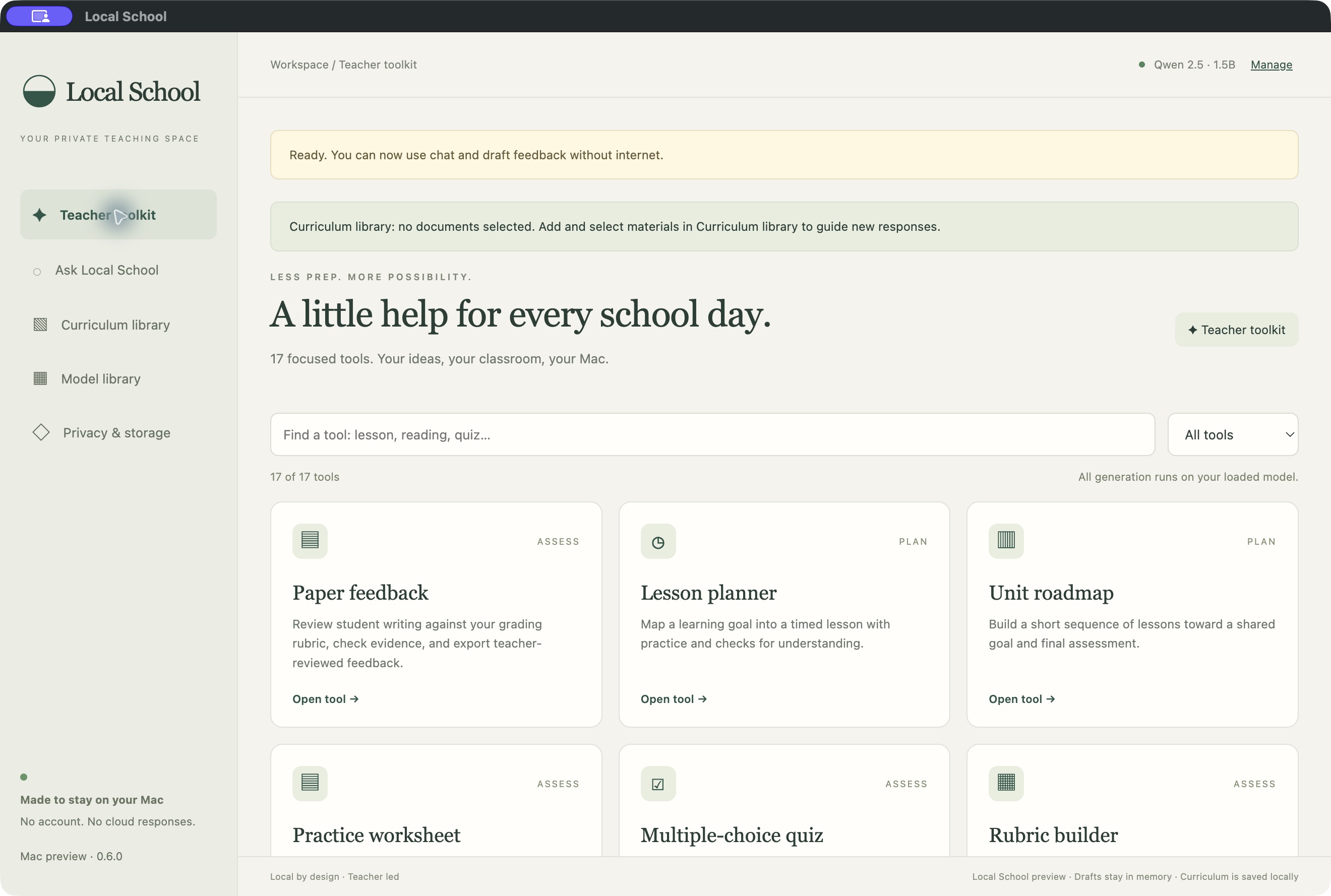
Less setup.
More possibility.17 tools. One local workspace.
Runs on your computer
Teacher-reviewed drafts
Your curriculum as context
No subscription
TAKE A LOOK AROUND
See what Local School does, how it keeps generation local, and where you stay in charge.
The video says “Available now.” Available builds and current Stripe checkout status are shown in the purchase flow.
A LITTLE HELP FOR EVERY SCHOOL DAY
From the first lesson idea to the feedback that moves learning forward. Start with your context, then make every draft your own.
17 tools for your classroom
No tools match that search. Try another word or choose All tools.
AI drafts, not final decisions. Check the facts, answer keys, and fit for your students.
How it worksBUILT AROUND YOUR WORKFLOW
A simple workspace that leaves the teaching decisions with you.
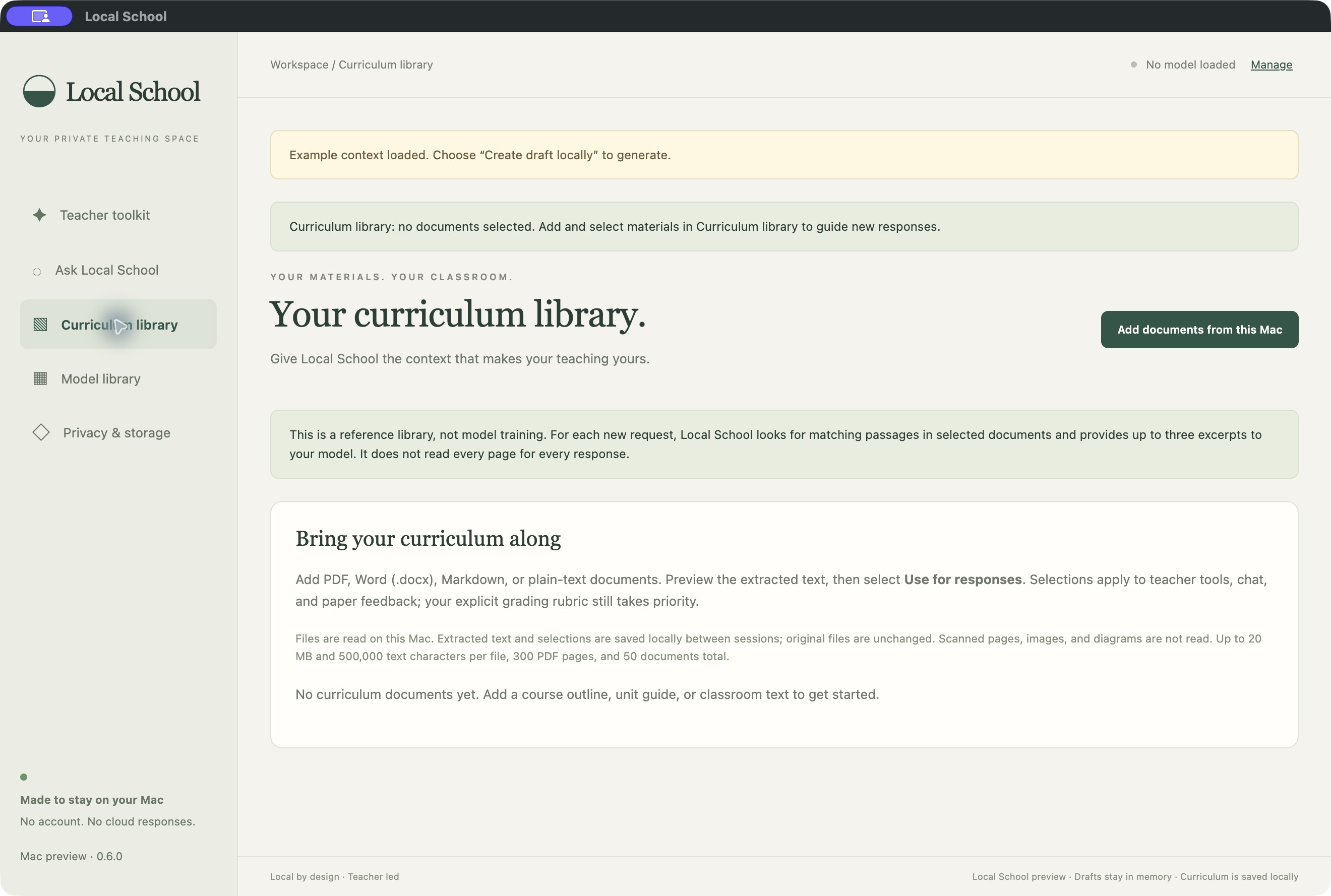
Reference material, not model training. PDF, DOCX, Markdown, and text supported.
Export before closing. Unsaved drafts do not persist between sessions.
PRIVACY YOU CAN UNDERSTAND
In the inspected version 0.8.0 Mac app source, Local School processes papers, prompts, and drafts on your device, with no cloud AI fallback. Both Mac packages contain the same inspected app source. Windows-specific storage and network behavior still needs verification.
Read the desktop privacy guideDownload a model, load it, then work offline. Model downloads retrieve public files; your teaching content isn't included.
Unsaved papers and drafts clear when you close the app. Curriculum text stays saved locally and is not encrypted by the app.
Exports go where you save them. A cloud-synced folder can upload a file. Device access, backups, and school policies still matter.
Local processing and installer notarization are not compliance certifications. Local School has not completed an independent security audit. Follow your school's requirements before using student information.
ONE LESS SUBSCRIPTION
Local School is a one-time purchase with a $20 USD base price plus applicable tax; local AI generation runs on your own computer. There are no automatic renewals or recurring Local School fees.
Choose the right build for your computerApple Silicon Mac: macOS 13 or later. Intel Mac: macOS 14 or later. Windows signed beta: Windows 11, 64-bit x64 processor, at least 8 GB RAM and 2 GB free disk space for Quick start. All three packages are version 0.8.0.
Supplied as Apple-notarized Mac releases and a signed Windows beta. Installer signing and notarization are installation-security checks, not privacy or school-compliance certifications.
$20once.
$20 USD one-time base price plus applicable tax. One teacher on up to two computers for home and work use; one purchase unlocks all supported builds. No automatic renewals or recurring Local School fees.
Check current checkout status in the purchase flow.
Email-only support from a small team.
Read purchase terms
No separate AI app or Local School account is required inside the current desktop app. Download and load a model in Model library, then use the toolkit.
Once a model is downloaded and loaded, generation can run offline. Downloading the app and public model files requires internet. Model files come from Hugging Face's download infrastructure.
No. Local School finds matching passages in selected documents and supplies excerpts to supported requests. The underlying model is unchanged. Check the reference excerpts and the generated claims.
Paper feedback drafts suggestions using your assignment and rubric. You must check the evidence, scores, and wording. The included models have not been validated for dependable grading, and you make the final assessment decisions.
No. It generates five questions grounded in a paper to support a discussion of understanding. Neither the questions nor a student's answers establish AI use, authorship, or misconduct.
Curriculum references and downloaded models remain saved locally. Papers, chats, and unsaved drafts clear when you close the app. Export the work you want to keep.
Email team@localschool.ai. Support is email only; we do not offer phone or live chat support. We're a small team, so responses may take time. Please include your app version and a short description of the issue, without student information.
A CONVERSATION, NOT A CHATBOT
Local School is shaped by the people closest to the classroom. Tell us what you need, or start a conversation about bringing the toolkit to your team.
LOCAL BY DESIGN. TEACHER LED.
Apple Silicon Mac · Intel Mac · Signed Windows beta
One teacher · Up to two computers · One year of monthly updates
Check current checkout status in the purchase flow.